What we were testing for
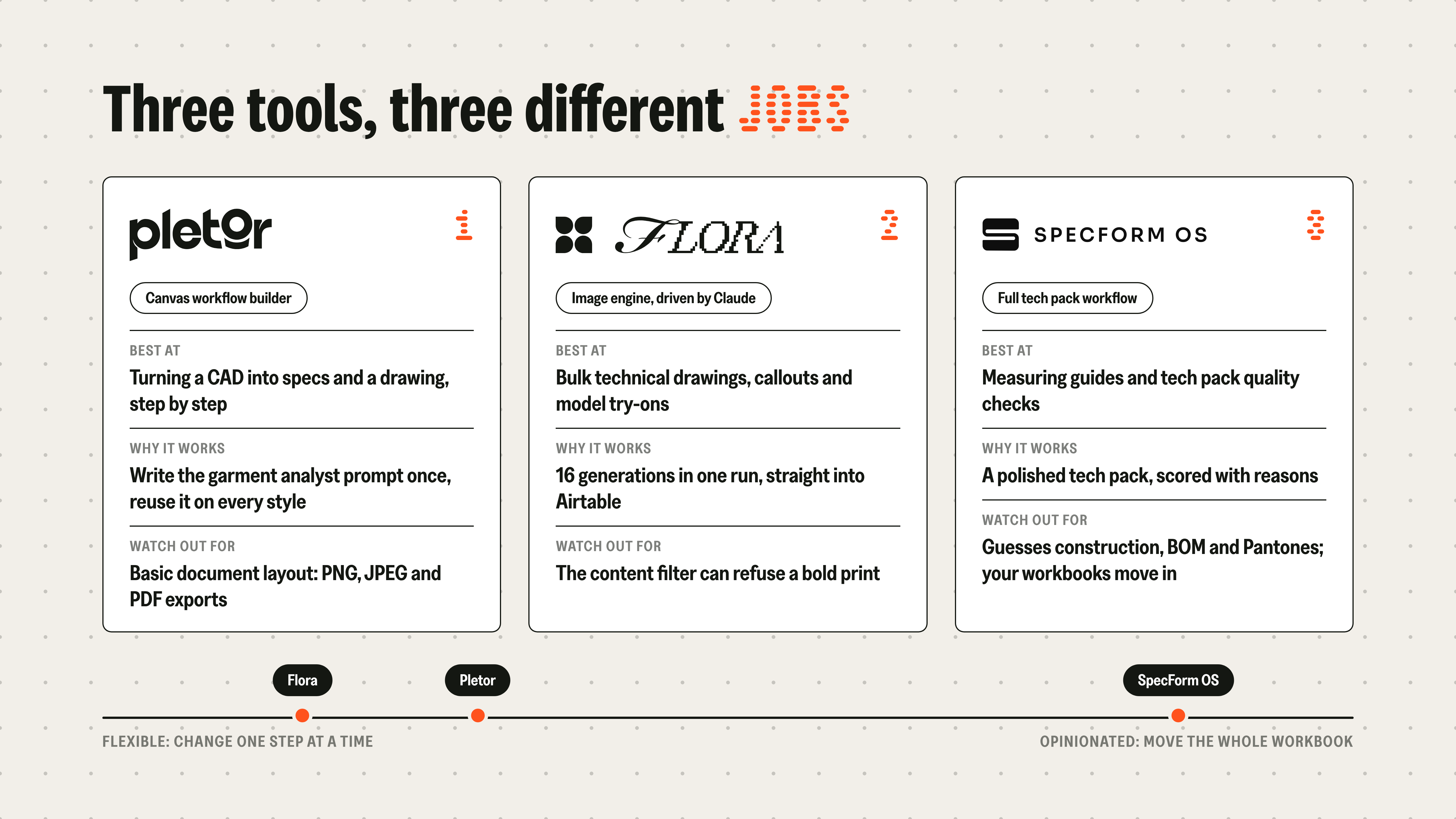
We scored three tools against the same criteria:
- Outputs. Technical drawings, callout images and model try-ons.
- Connection. How each tool links to the software product teams already use, Airtable first.
- Workflow. What it's like to get on with, and how long onboarding takes.
- Cost. Per run, and at the volume of a full season.
- Positioning. A flexible, multi-purpose tool, or one with a strong opinion about how a tech pack should work.
The final point gets extra weight in our eyes. Software with an opinion works well when its opinion matches yours.
We tested on real garments throughout: CADs, workbooks, and 10 products loaded into a sandbox Product Master.
Pletor: a garment analyst that writes the prompt for you
Pletor is a canvas workflow builder. You chain blocks together, each with a prompt and an input, and choose the AI model each block runs on.
The useful block was one we called the garment analyst. It reads the front and back CAD and writes up the fit, construction details, fabrication and an estimated measurement chart. That write-up becomes the prompt for the next step - nobody has to describe the garment by hand.
A spec writer block then drafts materials, trims and construction notes. We split the open questions into their own output, because those are the bits a technical designer will want to answer in a meeting.
We learned two things fast. Feeding the front and back images in separately made the drawings far more accurate. The more context the analyst gets (yarn colours, a photo of a knit swatch, an inspiration image), the better the drawing, which is how most design teams already brief their suppliers.
The weak spot is the finished document. Pletor exports PNG, JPEG and PDF, and its layout tools are basic next to a real workbook.
Flora: bulk generation straight into Airtable
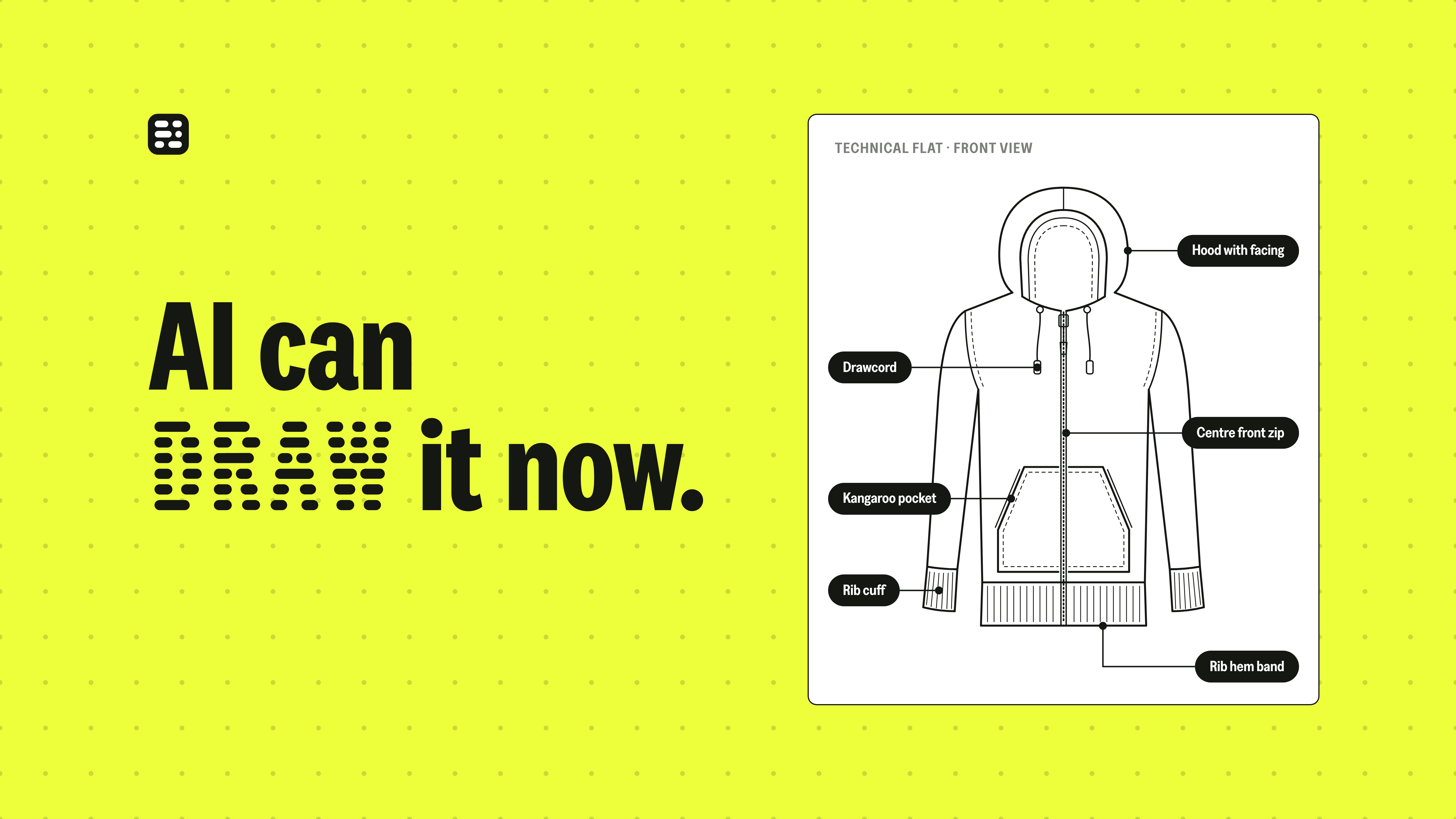
Flora is also a canvas tool, but we used it purely as an image engine. Claude drove it through an MCP connector, read the sandbox Product Master, and generated a technical drawing, callout images and model try-ons for each garment.
Flora returned 16 generations in one run, and they landed in the matching Airtable fields. On the same underlying image model, Flora's technical drawings came back quicker and, to our eyes, more accurate than Pletor's.
Model try-ons are where range decisions speed up. People signing off a range decide faster when they see a style on a model, ideally one of the brand's own approved models. That needs the models' permission, and the images stay internal.
From Airtable, those images can sync into a Miro board as a visual line sheet before a single sample arrives.
Specform OS: a full tech pack workflow, with opinions
Specform is built around the whole tech pack. From one reference image it produced a clean technical illustration, a 3D render and a virtual fitting.
Then it started guessing. Construction, BOM and Pantones were all filled in, and all of it needed a technical designer to check.
Two features stood out. A point-of-measure tool lets you draw measurement points on the garment and builds the measuring guide underneath, a job that eats a lot of technical design time. A quality check reads the tech pack and scores it, 8 out of 10, with the reasons it lost the other two.
The trade-off is commitment. To get the benefit, your workbooks move out of Excel and into Specform entirely. That's a medium-term decision, and a big one.
The build-or-buy question
Halfway through testing, a different question came up. What are we actually buying with these tools?
Using Claude Code, I turned two tech pack workbooks into a working app in about 20 minutes. It has a Kanban view of garments by status, colour palettes, fit sessions with measurement points, and Flora image generation built in.
It runs on my laptop and it's a long way from production-ready. It does show how far the cost of building something custom has fallen. As Oliver put it, once the data sits in your own structure, "we've got complete control of all the data and all the structure. We're not in anyone else's platform."